
VercelLogotypeVercelLogotype
LoginSign Up
Back to Templates

Vercel with Neon Postgres

A minimal template for building full-stack React applications using Next.js, Vercel, and Neon.

DeployView Demo
Contentful thumbnail for Vercel with Neon Postgres

Neon Postgres Vercel Marketplace Template

A minimal template for building full-stack React applications using Next.js, Vercel, and Neon, shipping with Tailwind CSS, Shadcn UI and better-auth.

Getting Started

Click the "Deploy" button to clone this repo, create a new Vercel project, setup the Neon integration, and provision a new Neon database:

Once the process is complete, you can clone the newly created GitHub repository and start making changes locally.

Demo

View live demo: vercel-marketplace-neon.vercel.app

Local Setup

Installation

Install the dependencies:

npm install

You can use the package manager of your choice. For example, Vercel also supports bun install out of the box.

Development

Create a .env file in the project root
cp .env.example .env
Get your database URL

Run vercel env pull to fetch the environment variables from your Vercel project.

Alternatively, obtain the database connection string from the Connection Details widget on the Neon Dashboard and add it to the .env file:

DATABASE_URL=<postgres://user:pass@host/db>
Set the Better Auth environment variables

Run openssl rand -base64 32 to generate a secret and add it to .env:

BETTER_AUTH_SECRET=<generated-secret>

Set the base URL of your application to your local development URL:

BETTER_AUTH_URL=http://localhost:3000

Note: Make sure to set the base URL to your production Vercel URL for your production environment.

Start the development server
npm run dev

Open http://localhost:3000 with your browser to see the result.

You can start editing the page by modifying app/page.tsx. The page auto-updates as you edit the file.

Neon MCP Server & Agent Skill

This project includes the Neon MCP server and neon-postgres agent skill for AI-assisted development with Neon Postgres. Both are configured for Cursor, Claude Code, VS Code, OpenCode, and Codex.

Shadcn/ui

This project uses shadcn/ui for building accessible and customizable UI components.

Configuration

Shadcn/ui is configured in components.json. The project uses:

  • Style: New York
  • Base Color: Neutral
  • Icon Library: Lucide React
  • CSS Variables: Enabled for theming

Adding Components

To add new shadcn/ui components:

npx shadcn@latest add [component-name]

For example:

npx shadcn@latest add card
npx shadcn@latest add dialog

Theme Support

The project includes a theme provider and selector:

  • Theme Provider: src/components/themes/provider.tsx
  • Theme Selector: src/components/themes/selector.tsx

Themes are managed using next-themes and support light, dark, and system preferences.

Existing Components

  • Button - src/components/ui/button.tsx
  • DropdownMenu - src/components/ui/dropdown-menu.tsx

Learn More

  • shadcn/ui Documentation
  • shadcn/ui Components

Drizzle ORM

This project uses Drizzle ORM for type-safe database operations with PostgreSQL.

Configuration

Drizzle is configured in drizzle.config.ts. The database client is set up in src/lib/db/client.ts.

Schema

Database schemas are co-located with their features. Auth-related schemas (auto-generated by better-auth) are in src/lib/auth/schema.ts. You can add additional schema files for other features and they will be automatically detected by Drizzle Kit.

Database Scripts

  • npm run db:generate - Generate migration files from your schema
  • npm run db:migrate - Apply migrations to your database
  • npm run db:studio - Open Drizzle Studio (visual database browser)

Usage Example

import { db } from "@/db/client";
import { user } from "@/auth/schema";
import { eq } from "drizzle-orm";
// Select all users
const allUsers = await db.select().from(user);
// Insert a user
await db.insert(user).values({
id: "123",
name: "John Doe",
email: "john@example.com",
});
// Update a user
await db.update(user)
.set({ name: "Jane Doe" })
.where(eq(user.id, "123"));

Running Migrations

  1. Update your schema files (e.g., src/lib/auth/schema.ts or other feature-specific schema files)
  2. Generate migrations: npm run db:generate
  3. Review the generated SQL in the drizzle/ folder
  4. Apply migrations: npm run db:migrate

Learn More

  • Drizzle ORM Documentation
  • Drizzle with PostgreSQL
  • Drizzle Kit

Learn More

To learn more about Neon, check out the Neon documentation:

  • Neon on Vercel Fluid Compute - learn about differnet datatabase connection methods on Fluid.
  • Neon Documentation - learn about Neon's features and SDKs.
  • Neon Discord - join the Neon Discord server to ask questions and join the community.
  • ORM Integrations - find Object-Relational Mappers (ORMs) that work with Neon.

To learn more about Next.js, take a look at the following resources:

  • Next.js Documentation - learn about Next.js features and API.
  • Learn Next.js - an interactive Next.js tutorial.

Deploy on Vercel

Commit and push your code changes to your GitHub repository to automatically trigger a new deployment.
GitHub Reponeondatabase-labs/vercel-marketplace-neon
Use Cases
Starter
Stack
Next.jsTailwind
Database
NeonPostgres

Related Templates

Get Started

  • Templates
  • Supported frameworks
  • Marketplace
  • Domains

Build

  • Next.js on Vercel
  • Turborepo
  • v0

Scale

  • Content delivery network
  • Fluid compute
  • CI/CD
  • Observability
  • AI GatewayNew
  • Vercel AgentNew

Secure

  • Platform security
  • Web Application Firewall
  • Bot management
  • BotID
  • SandboxNew

Resources

  • Pricing
  • Customers
  • Enterprise
  • Articles
  • Startups
  • Solution partners

Learn

  • Docs
  • Blog
  • Changelog
  • Knowledge Base
  • Academy
  • Community

Frameworks

  • Next.js
  • Nuxt
  • Svelte
  • Nitro
  • Turbo

SDKs

  • AI SDK
  • Workflow SDKNew
  • Flags SDK
  • Chat SDK
  • Streamdown AINew

Use Cases

  • Composable commerce
  • Multi-tenant platforms
  • Web apps
  • Marketing sites
  • Platform engineers
  • Design engineers

Company

  • About
  • Careers
  • Help
  • Press
  • Legal
  • Privacy Policy

Community

  • Open source program
  • Events
  • Shipped on Vercel
  • GitHub
  • LinkedIn
  • X
  • YouTube

Loading status…

Select a display theme:
    • AI Cloud
      • v0

        Build applications with AI

      • AI SDK

        The AI Toolkit for TypeScript

      • AI Gateway

        One endpoint, all your models

      • Vercel Agent

        An agent that knows your stack

      • Sandbox

        AI workflows in live environments

    • Core Platform
      • CI/CD

        Helping teams ship 6× faster

      • Content Delivery

        Fast, scalable, and reliable

      • Fluid Compute

        Servers, in serverless form

      • Observability

        Trace every step

    • Security
      • Bot Management

        Scalable bot protection

      • BotID

        Invisible CAPTCHA

      • Platform Security

        DDoS Protection, Firewall

      • Web Application Firewall

        Granular, custom protection

    • Company
      • Customers

        Trusted by the best teams

      • Blog

        The latest posts and changes

      • Changelog

        See what shipped

      • Press

        Read the latest news

      • Events

        Join us at an event

    • Learn
      • Docs

        Vercel documentation

      • Academy

        Linear courses to level up

      • Knowledge Base

        Find help quickly

      • Community

        Join the conversation

    • Open Source
      • Next.js

        The native Next.js platform

      • Nuxt

        The progressive web framework

      • Svelte

        The web’s efficient UI framework

      • Turborepo

        Speed with Enterprise scale

    • Use Cases
      • AI Apps

        Deploy at the speed of AI

      • Composable Commerce

        Power storefronts that convert

      • Marketing Sites

        Launch campaigns fast

      • Multi-tenant Platforms

        Scale apps with one codebase

      • Web Apps

        Ship features, not infrastructure

    • Tools
      • Marketplace

        Extend and automate workflows

      • Templates

        Jumpstart app development

      • Partner Finder

        Get help from solution partners

    • Users
      • Platform Engineers

        Automate away repetition

      • Design Engineers

        Deploy for every idea

  • Enterprise
  • Pricing
Log InContact
Sign Up
Sign Up
Back to Templates
DeployView Demo

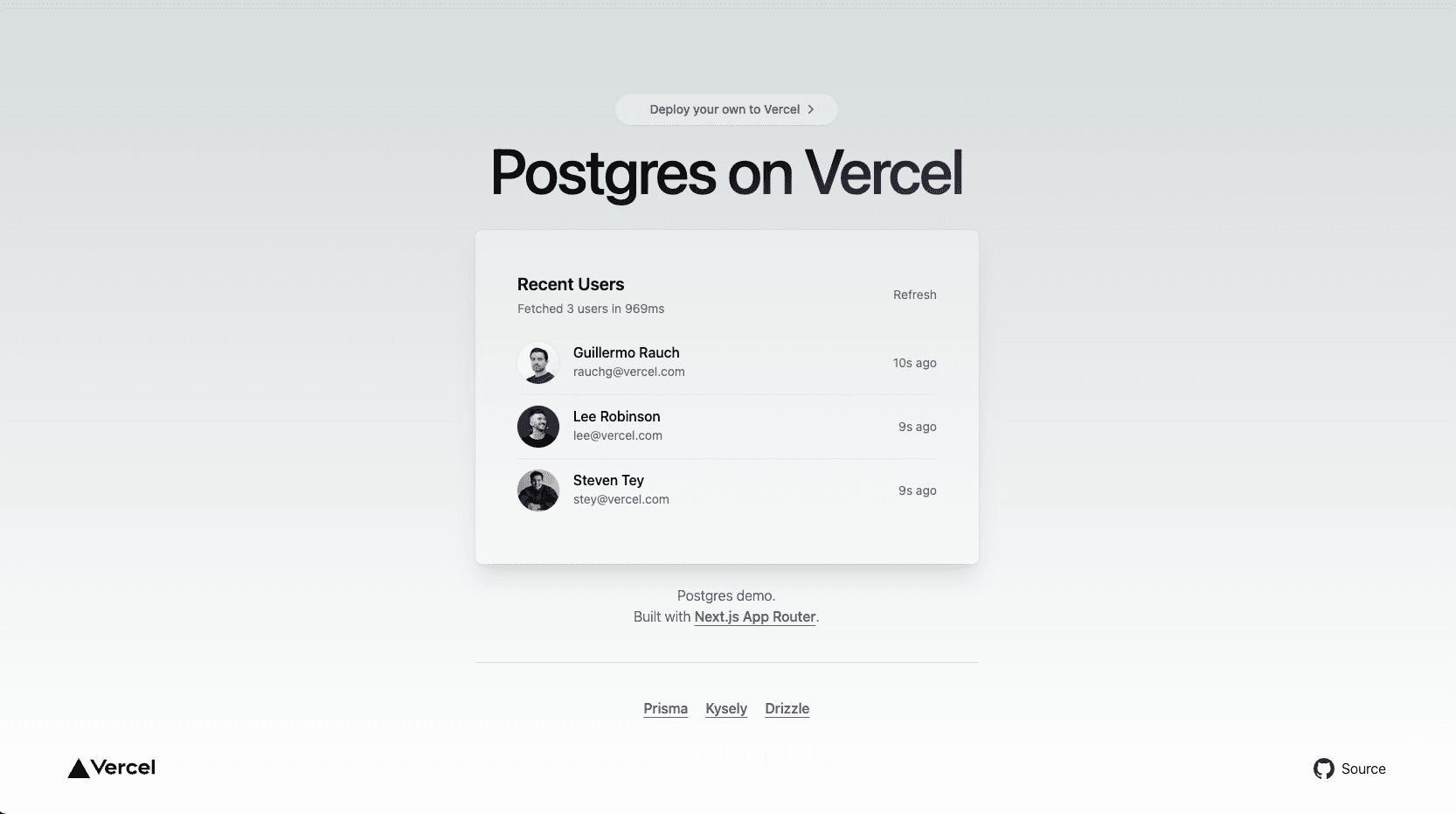
Postgres Next.js Starter

Simple Next.js template that uses a Postgres database.
Postgres Next.js Starter
v0

Build applications with AI

AI SDK

The AI Toolkit for TypeScript

AI Gateway

One endpoint, all your models

Vercel Agent

An agent that knows your stack

Sandbox

AI workflows in live environments

CI/CD

Helping teams ship 6× faster

Content Delivery

Fast, scalable, and reliable

Fluid Compute

Servers, in serverless form

Observability

Trace every step

Bot Management

Scalable bot protection

BotID

Invisible CAPTCHA

Platform Security

DDoS Protection, Firewall

Web Application Firewall

Granular, custom protection

Customers

Trusted by the best teams

Blog

The latest posts and changes

Changelog

See what shipped

Press

Read the latest news

Events

Join us at an event

Docs

Vercel documentation

Academy

Linear courses to level up

Knowledge Base

Find help quickly

Community

Join the conversation

Next.js

The native Next.js platform

Nuxt

The progressive web framework

Svelte

The web’s efficient UI framework

Turborepo

Speed with Enterprise scale

AI Apps

Deploy at the speed of AI

Composable Commerce

Power storefronts that convert

Marketing Sites

Launch campaigns fast

Multi-tenant Platforms

Scale apps with one codebase

Web Apps

Ship features, not infrastructure

Marketplace

Extend and automate workflows

Templates

Jumpstart app development

Partner Finder

Get help from solution partners

Platform Engineers

Automate away repetition

Design Engineers

Deploy for every idea