SaaStart from Auth0
A secure and high-performance starting point for building modern B2B SaaS web applications.
Jump to a section
- Target Use Case
- Deploy to Vercel
- Installation for Local Development
- B2B Identity Features to Explore
- Advanced Topics
- Learn More
- Contributing
Overview
[!TIP] Ready to begin? Jump ahead to the Getting Started section.
This sample application provides developers with a solid foundation to kickstart their journey into building a business-to-business software-as-a-service (B2B SaaS) application. With a carefully selected stack of well-documented and widely adopted technologies, along with seamless integration with Auth0 for identity and login management, this starter kit aims to streamline the development process and enable developers to focus on building out their core product instead of worrying about the complexities of SaaS identity management and secure customer onboarding.
It incorporates best practices and industry-standard technologies to provide a robust and scalable solution for building secure software, with all the capabilities needed to be competitive, resilient, and scalable. The project includes the architecture and components you need to get started, authentication and authorization powered by Auth0, and deployment instructions that make it easy to move to staging or production when you're ready.
Target Use Case
Use this to bootstrap a SaaS application with the following commonly needed capabilities:
- Multi-tenancy with a single pool of users in a shared user database (see: Multiple Organization Architecture)
- Sign up with tenant (Organization) creation
- Logged in / Logged out product landing page experience
- User management with invitation workflows, create/delete user capabilities, and RBAC roles
- Self-service user profile management, password reset, and MFA configuration
- Self-service Enterprise Single Sign-On (SSO) configuration using
- OIDC
- SAML
- Ability for end-users to verify domain ownership before associating their email domains with home realm discovery
- Just-in-time user provisioning OR automatic directory sync with SCIM
- API client management with self-service create/delete capabilities (coming soon)
- Configurable security policies:
- Enforce MFA
- Session lifetime (coming soon)
- Break-glass access for admin roles (coming soon)
Deploy to Vercel
Installation for Local Development
Prerequisites
-
Node.js v20 or later is required to run the bootstrapping process. We recommend using
nvmto manage node versions in your development environment. Click these links to learn how to install nvm or how to use nvm to make sure you're using Node 20+ in your development environment. -
You must have
npmor a comparable package manager installed in your development environment. These instructions assume that you're usingnpm, which is automatically included as part of the Node.js installation from prerequisite 1. -
Create a new Auth0 tenant. This is important! Using a new Auth0 tenant for this sample application ensures you don't encounter any conflicts due to existing configuration in an existing tenant.
The tenant you create will be configured automatically by our bootstrapping command during the installation process. You can sign up for a free Auth0 account at https://auth0.com/signup. See Create Tenants in the Auth0 docs if you need help.
Once you've created a tenant, nothing else needs to be done inside Auth0 - you can return to this README.md and begin completing the steps below.
Step One: Clone and install dependencies
-
Clone this repo to your development environment. To do this, navigate to a directory where you want to work in a terminal program, and run the following command:
git clone https://github.com/auth0-developer-hub/auth0-b2b-saas-starter.git -
Navigate into the directory by typing the following command:
cd auth0-b2b-saas-starter -
Install dependencies for the project using your favorite package manager. For example, if you're using npm, check that you're on the correct version of node:
node -vThis should return a version number higher than v20. If you have an earlier version installed, return to the prerequisites and follow step 1.
Otherwise, continue:
npm install
Step Two: Install and log in with the Auth0 CLI
This project uses the Auth0 CLI to make setting up your tenant a lot easier, by scripting away as much manual work as possible. If you want to familiarize yourself with the Auth0 CLI, read Auth0 CLI Basics.
-
You will need to install the Auth0 CLI. It will be used by the bootstrap script to create the resources needed for this sample in your Auth0 tenant. Instructions for installation are available at the Auth0 CLI github repo.
For example, users on Linux or OSX using Homebrew can run the following command to install the CLI:
brew tap auth0/auth0-cli && brew install auth0For example, users on Windows using Scoop can run the following commands to install the CLI:
scoop bucket add auth0 https://github.com/auth0/scoop-auth0-cli.gitscoop install auth0You can confirm whether or not the CLI is correctly installed by running the following command:
auth0 --versionA successful installation will result in a response with the CLI version number printed out, like this:
auth0 version 1.4.0 54e9a30eeb58a4a7e40e04dc19af6869036bfb32 -
Log in by entering the following command and following the instructions to choose a specific tenant to authenticate with:
auth0 login --scopes "update:tenant_settings,create:connections,create:client_grants,create:email_templates,update:guardian_factors"This will take you through a flow that will securely retrieve a Management API token for your Auth0 tenant.
[!WARNING] At the Authorize App step, be sure to select the same NEW tenant that you created in the prerequisites. Whatever you choose during this step will be the tenant that will be bootstrapped in the next steps, so it's important to make sure it's a newly created tenant without existing configuration.
Step Three: Bootstrap the Auth0 tenant
This step will create and update entities in your Auth0 tenant. The provided script will use the Auth0 CLI to provision the resources required for this sample application:
- Creating the appropriate clients (called Applications in Auth0)
- Creating admin and member roles,
- Creating actions for setting roles and security policies
- Creating email and login templates
- Enabling MFA factors
Finally, it will save environment variables for your tenant in the application directory.
[!WARNING] Only run the following command on a newly created tenant to avoid changing existing configuration or introducing conflicting elements to your existing Auth0 tenants! If you are creating a new Auth0 tenant at this point in the process, go back to step 2 in order to ensure you're logged into the correct Auth0 tenant.
Run the following command:
Once the script has successfully completed, a .env.local file containing the environment variables will be written to the root of your project directory.
Step Four: Run the sample application
-
Run the development server:
npm run dev -
Open http://localhost:3000 with your browser to see the result.
Note: If you're running the application on a different port, adjust the provided localhost URL accordingly.
You can proceed to interact with the app as if you were a user: create an account, navigate to the settings, explore the identity capabilities.
Now you're ready to start editing to build your own SaaS application! To see this in action, modify app/page.tsx in some way and save the file. The browser will hot-reload to show any changes you've made each time you save.
B2B Identity Features to Explore
By clicking through the application's front-end, you can explore the management experience that your customers would have. This sample application comes preconfigured with key identity workflows that are crucial for anyone that wants their application to be adopted by business customers, so that you can focus on coding your own functionality instead.
Sign up with Organziations
Each user that creates an account from scratch will be prompted to enter an organization name as part of their sign-up flow. Once an organization is created, users with admin roles can invite additional users who will automatically be added to the organization.
User Management
Invite additional users, change users' roles (and thus what they have permission to do in the application), and delete users. You'll notice as you perform these operations in SaaStart, you're changing the user database and organizations in your Auth0 tenant.
Connections
Use the SSO tab in the settings section to connect an external IDP (eg, Okta WIC, Google Workforce, Azure AD, etc) via SAML or OIDC. This allows your business customers to set up their own Single Sign On connections right in your application. You can also optionally enable SCIM provisioning using the same connections.
Security Policies
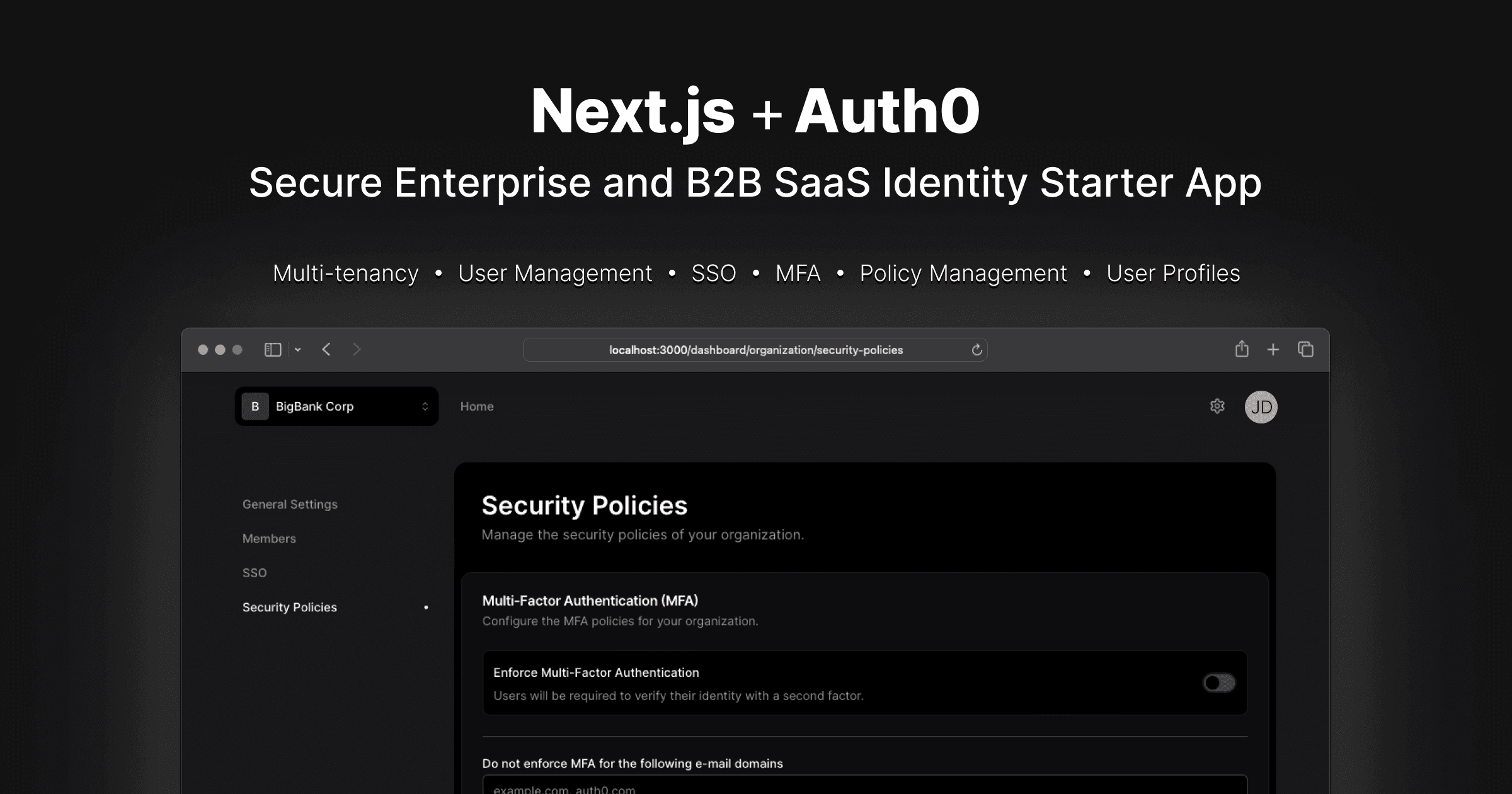
Configure multi-factor authentication (MFA) policies for your organization, including a selection of which MFA providers (eg, One-time Password, or Security Keys) your users are allowed to use. Optionally, you can configure email domains for which users be exempted from having to MFA in your app. This is useful when using SSO, and users are already completing MFA when they sign in to their workforce identity provider, so that they won't be prompted for a second MFA when they log in to your application.
Organization Switching
Users can be invited to a company organization, but can also create their own hobby or personal organizations. This allows your app to handle scenarios like when contractors or external collaborators need to belong to multiple organizations, or when employees want to have their own personal accounts for experimentation or side projects. Switching contexts is easy.
User Profile and Security
Your users can set their own user profile settings, set and reset their own passwords, and manage their own multi-factor authentication (MFA) enrollments. They can also manage and delete their own account data.
Advanced Topics
Reference the README-ADVANCED.md [blocked] instructions to learn about:
- Enabling https:// and production-like URLs while you iterate from within your personal development environment
- Using an email platform for testing transactional emails (or different workflows that require email verification)
Learn More
To learn more about Auth0, take a look at the following resources:
- Understand how Auth0 Organizations Work - learn about how this project achieves multi-tenancy
- Customize - learn how to brand and internationalize all Auth0 interactions with your end-users
Contributing
See CONTRIBUTING for information.
Questions? Feedback? Drop us a line in the Auth0 Community